Long gone are the days when TikTok was just an app for lip synching teenagers and oldies like me assumed we’d never get involved. TikTok is here to stay, and, as in most corners of the internet, the bookish world has carved out its own niche there. Authors, bookstores, and bookfluencers all have accounts, and the publishing industry is increasingly taking notice and tapping into the power of the platform to sell books and spread enthusiasm about reading.
So how do you get started on BookTok?
The platform has a steeper learning curve than some, but it’s accessible if you break it down into manageable steps.
1. Download the app and make an account
You can do this through any number of ways, including linking to Facebook, Twitter, or a Gmail address. (Top tip: pick a good username. I assumed I’d never use mine, so I messed up on this crucial step.)
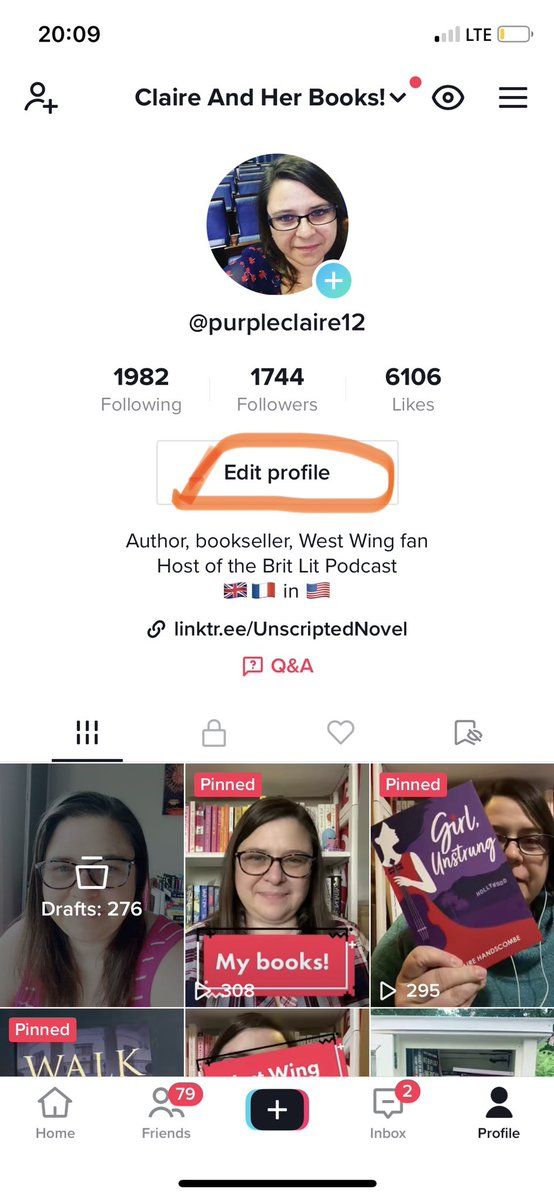
2. Edit your profile
Note that you won’t be able to add that crucial link in your bio until you hit the magic 1,000 followers. (You can also make a business account to access that sooner, but I don’t recommend that, because it comes with restrictions.)
Book Deals Newsletter
Sign up for our Book Deals newsletter and get up to 80% off books you actually want to read.
Thank you for signing up! Keep an eye on your inbox.
By signing up you agree to our terms of use
3. Navigate to the home button
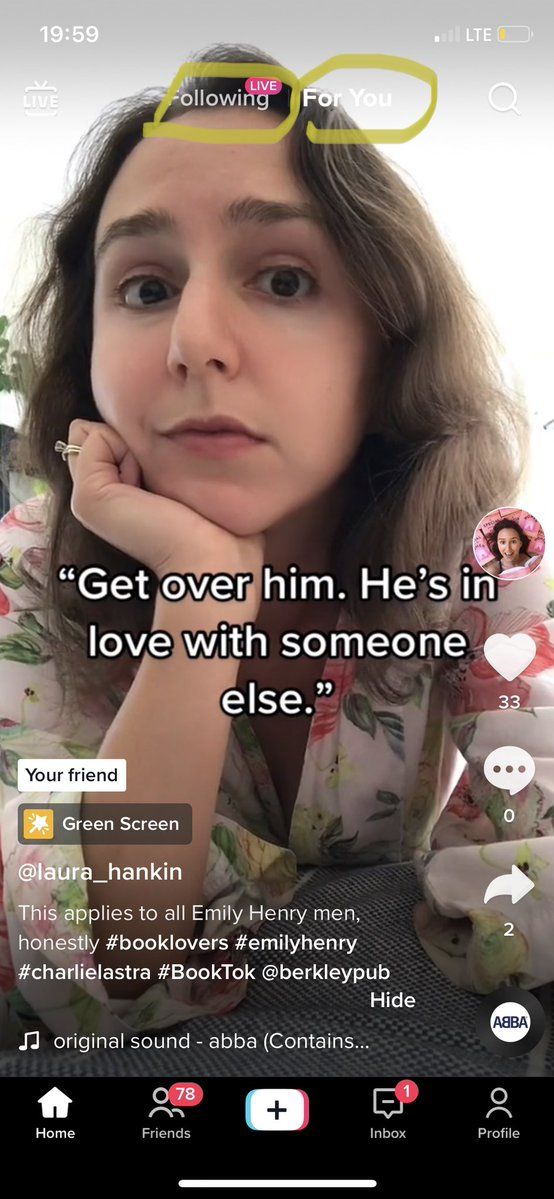
Where TikTok differs from many, if not all, other social media platforms, is that you don’t have to follow anyone to get a stream of content. When you hit the home button, you’ll be taken to what’s known as your FYP — your For You Page. At first, this will be a mess of content, much of which likely won’t interest you — the algorithm is making a guess on what you like based on what it can gather about you from the internet. But as you engage by watching, liking, and commenting, it’ll start to fine tune what it serves you.
If you’re serious about specifically having a BookTok, rather than just having a fun TikTok account that also features books (and there’s nothing wrong with that!), you’re going to want to avoid interacting with anything non-bookish. One quick way to train the algorithm is to find some BookTokers to follow.
4. Follow some BookTokers
Book Riot has some good lists of recommended people to follow; you might also want to search for your favourite local indie bookstore, bookish podcast, or even bookstagrammer or booktuber — chances are, they’re there. From their accounts, you can see who they’re following and click around and see if there’s anyone you’re interested in. But there’s no need to follow too many people — and TikTok will flag you as a spammer if you do too much following too quickly. What you’re doing here is training the algorithm. At the top of the page, you’ll see that you can toggle between the FYP and Following. Hit “following” and spend some time there, interacting with the bookish accounts you’ve just followed. It won’t take the algorithm too long to start serving you mostly if not exclusively book content on your For You Page after that.
It’ll also give you an idea of what trends and sounds people are using to post about books. If you come across a sound you like and want to try using, hit the round icon at the very bottom of the screen and then “add to favorites.” That way, when you go to add a sound of your own to a video, it’ll be one of the ones available to you. It’s a great way to hop onboard trends and also to get ideas for what to post.
5. Make your first video
There’s a lot of tricks and tips to learn — more than I can cover in this single post — and you’d do well to look for tutorials on YouTube if you want to go deeper. But here are the basics:
- Hit the + sign at the bottom of the screen.
- Add a sound at the top.
- Press the big red button to record yourself talking, dancing, or lip synching (yes, that’s still a thing).
- Hit “next”.
- Add a caption and a hashtag or two (opinions vary and trends come and go as to whether #booktok is the best one to use; it can’t hurt to use something more targeted, liked #romancereaders).
- Tap on “select cover” to choose the most flattering freeze fame, since that’s what will show on your grid.
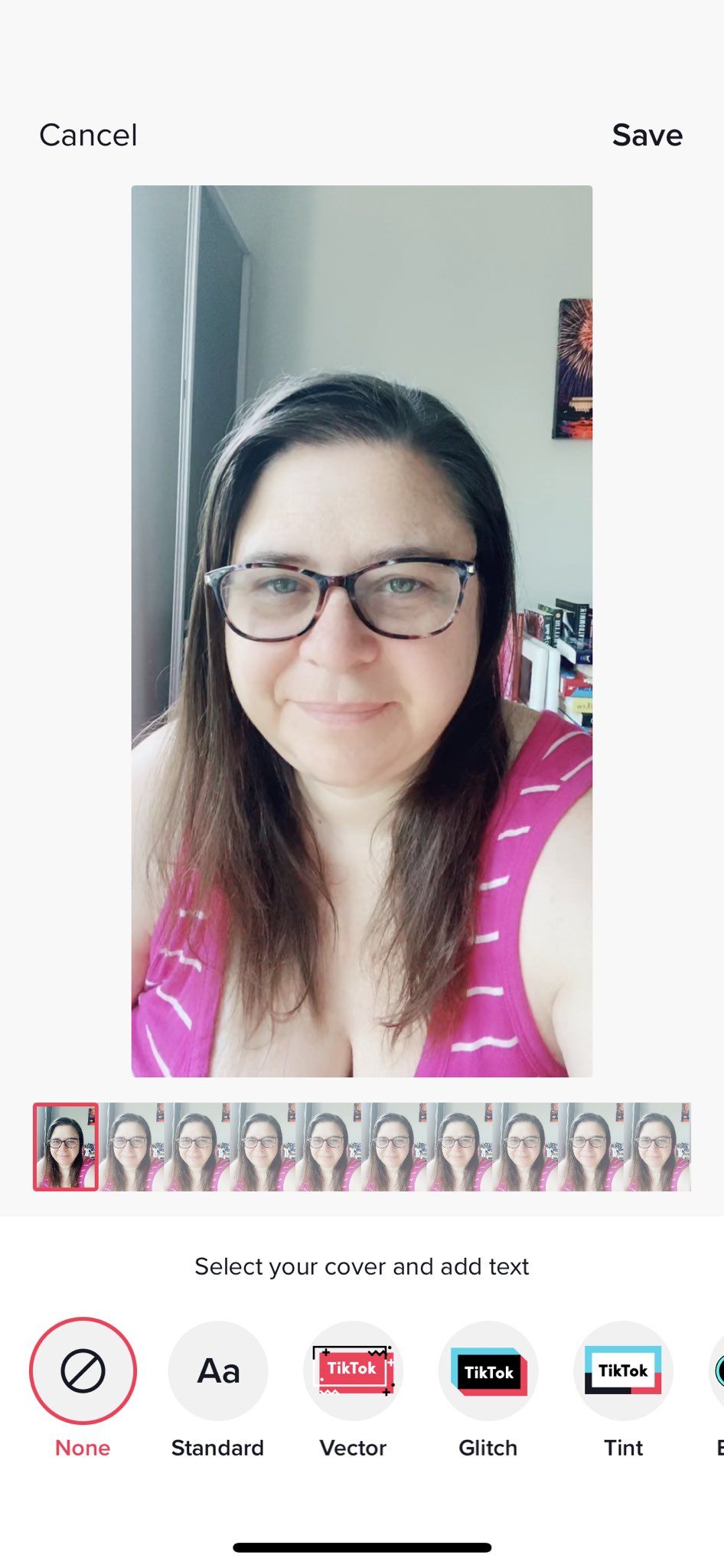
- At the bottom of the screen, there’s also a way to add text (which is also a useful way to cover up your face if, like me, you sometimes find that none of the freeze frames are all that flattering, actually).
- Click “save”, and then, down at the bottom, click “post.”
- Congrats! You’ve just posted your first BookTok video!
If you really want to put some serious work in, especially in the very early stages, I recommend taking a look at the new account by Bookshop.org. They joined in April, posted with a consistent aesthetic using mostly the current trends three times a day every single day until they reached the magic 1,000 followers ten days in.
Bookshop.org is, of course, a recognised brand, so I don’t want to promise you’d get the same result if you’re a little known author or bookish influencer. But if you have the time and the bandwidth, I highly recommend giving their technique a try — and maybe even giving yourself some time to learn until you do have that bandwidth as well as a bank of drafts that you can use so you can get started with a bang.
Above all else, though, don’t get hung on up on the numbers — BookTok is a great place to meet like-minded friends, broaden your reading horizons, and get some great recommendations. Have fun with it!